
How I Would Learn Revit in 30 Days: A Practical Roadmap for Beginners

Learning Autodesk Revit can feel overwhelming when you are starting from scratch. There are hundreds of tools, workflows, settings, families, views, and project requirements to understand.
But you don’t need to learn everything at once.
If I had only 30 days to learn Revit, I would focus on building practical skills in the right order rather than spending the entire month watching random tutorials.
The objective would not be to become a Revit expert in 30 days. The goal would be to become comfortable enough to model, document, understand the workflow, practice on a real project, and continue learning independently.
My 30-Day Revit Learning Strategy
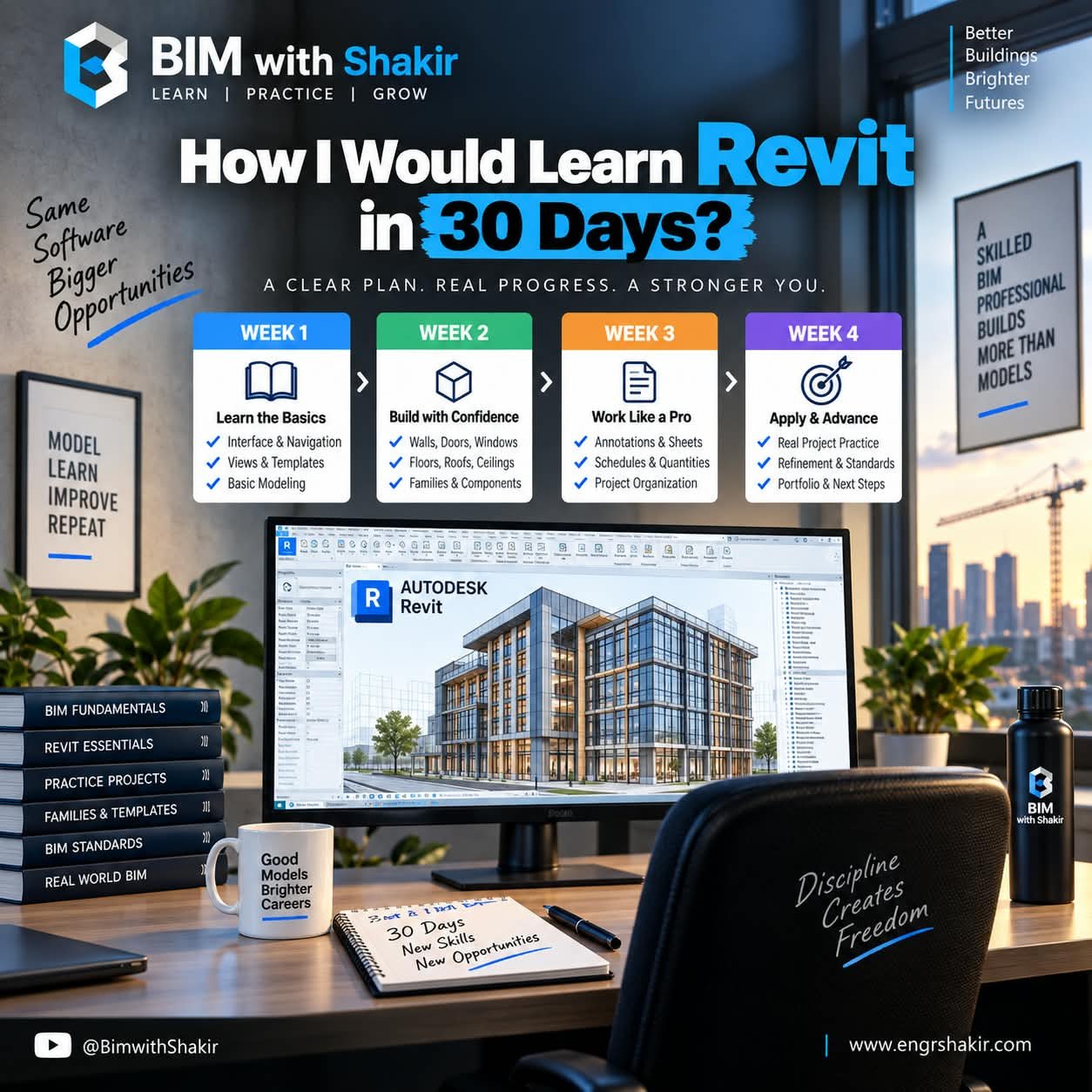
I would divide the 30 days into four focused stages:
- Week 1: Learn the Basics
- Week 2: Build Confidence
- Week 3: Work Like a Professional
- Week 4: Apply Your Skills on a Real Project
This approach gives you a clear progression from understanding the software to actually applying it.
Week 1: Learn the Revit Basics
The first week should be about becoming comfortable inside Revit.
Don’t rush into advanced modeling or complex families. First understand how Revit works and how its environment is organized.
Focus on:
- Revit interface and navigation
- Project browser and properties
- Views and view control
- Levels and grids
- Basic project setup
- Basic modeling concepts
- Understanding Revit elements and categories
By the end of Week 1, you should be able to open a project, navigate confidently, create basic views, and understand the relationship between different project elements.
Week 2: Build Your Modeling Confidence
Once you understand the environment, start building.
This is where hands-on practice becomes extremely important. Instead of simply following a tutorial step by step, try to reproduce a small building yourself.
Focus on:
- Walls
- Doors
- Windows
- Floors
- Roofs
- Ceilings
- Components and families
Try creating a simple residential or small commercial building. The objective is not architectural perfection. The objective is to understand how building elements are created and how they interact with the model.
Remember: watching someone model a building is not the same as modeling it yourself.
Week 3: Start Working Like a Professional
After learning basic modeling, move beyond simply creating geometry.
A professional Revit workflow also involves documentation, information, organization, and project coordination.
Focus on:
- Annotations
- Dimensions and tags
- Sheets
- Schedules
- Quantities
- Project organization
- View management
This stage helps you understand that Revit is more than a 3D modeling tool. A well-structured BIM model can support drawings, schedules, quantities, and project information.
Practice creating a small set of drawings from the model you created during Week 2.
Week 4: Apply Everything to a Real Project
The fourth week is where your learning becomes practical.
Stop relying completely on tutorials and start working independently.
Choose a small project and try to complete it from beginning to end using the skills you have developed.
Your project could include:
- Project setup
- Levels and grids
- Basic architectural modeling
- Doors and windows
- Floors and roofs
- Views
- Annotations
- Sheets
- Schedules
- Basic project organization
During this week, you will quickly discover which areas you understand and which areas need more practice.
That is exactly what you want.
How Much Should You Practice Every Day?
You don’t need to spend eight hours every day learning Revit.
A consistent daily routine can be much more effective than occasional long study sessions.
One practical approach is the 30–60–10 method:
- 30 minutes: Learn a concept or workflow.
- 60 minutes: Practice it yourself.
- 10 minutes: Review mistakes and write down what you learned.
The most important part is the hands-on practice.
Don’t Try to Master Everything in 30 Days
One of the biggest mistakes beginners make is trying to learn every Revit feature immediately.
Revit is a large platform, and professional users continue learning new workflows throughout their careers.
Instead of asking:
“How can I learn all of Revit?”
Ask:
“What Revit skills do I need for the type of projects I want to work on?”
Your learning path should eventually become more specialized depending on whether you are focusing on architecture, structural engineering, MEP, BIM coordination, documentation, families, automation, or another BIM workflow.
Build Projects, Not Just Tutorial History
Completing 50 tutorials does not necessarily mean you can work independently.
A much better way to measure progress is to ask yourself:
- Can I start a project without following every tutorial step?
- Can I create and modify basic building elements?
- Can I create useful views?
- Can I produce organized documentation?
- Can I understand and troubleshoot basic modeling problems?
- Can I explain what I have modeled and why?
If you can answer yes to these questions, you are moving in the right direction.
What Should You Have After 30 Days?
At the end of the 30 days, don’t expect to be a Revit master.
Instead, aim to have:
- A strong understanding of Revit fundamentals
- Confidence with basic modeling
- Experience creating documentation
- A small completed practice project
- A list of areas that need further improvement
- A clear direction for your next stage of learning
Your completed practice project can also become the starting point for a portfolio as your skills improve.
Final Thoughts
Learning Revit is not about memorizing every command. It is about understanding the workflow and developing the ability to solve problems inside a BIM environment.
If I had 30 days, my strategy would be simple:
Learn → Practice → Build → Review → Improve.
Thirty focused days won’t make you a Revit expert, but they can give you a strong foundation and the confidence to keep progressing.
The key is consistency. Don’t spend 30 days only watching someone else use Revit. Open the software, build something, make mistakes, fix them, and repeat.
Frequently Asked Questions
Can I learn Revit in 30 days?
Yes, you can build a useful foundation in 30 days with consistent practice. However, becoming proficient in professional Revit workflows requires continued project experience and learning beyond the first month.
How many hours should I practice Revit each day?
The ideal amount depends on your schedule and learning goals. A consistent daily practice routine is generally more useful than irregular sessions. Even one to two focused hours can provide meaningful progress when combined with hands-on modeling.
Should I watch tutorials or practice projects?
Use both. Tutorials can introduce concepts, but project-based practice helps you understand how those concepts work together. After learning a workflow, try to reproduce it without following the tutorial step by step.
What should I learn first in Revit?
Start with the interface, navigation, views, levels, grids, basic modeling, and project organization. Once you understand these fundamentals, progress toward documentation, schedules, families, and more advanced workflows.
What Would You Learn First?
If you had only 30 days to learn Revit, what would you prioritize?
Architecture, Structure, MEP, BIM Coordination, or something else?
Share your approach and learning experience.
Learn. Practice. Grow.
Follow BIM with Shakir for practical BIM and Revit content.
YouTube: @BimwithShakir
Website: www.engrshakir.com