
Revit Secrets Used by BIM Experts

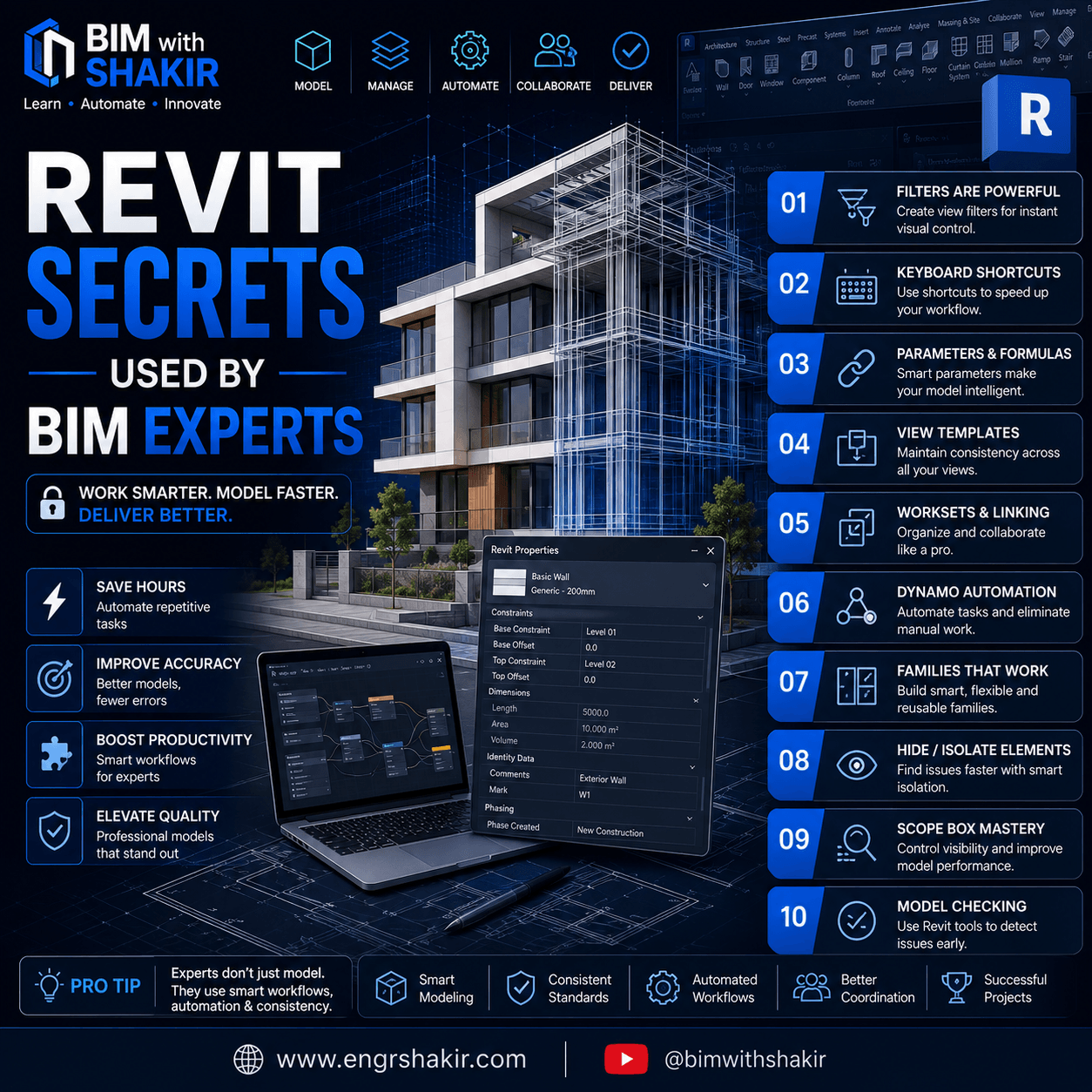
Revit Secrets Used by BIM Experts (2026 Guide)
Discover the professional Revit techniques that BIM experts use every day to create cleaner models, improve collaboration, and save hours of work.
Revit Secrets Used by BIM Experts: 10 Tips That Will Transform Your Workflow
Revit is much more than a 3D modeling application. For experienced BIM professionals, it is a powerful platform for creating intelligent building models, automating repetitive tasks, improving project coordination, and delivering high-quality construction documentation.
Many beginners spend hours performing manual tasks that BIM experts complete in just a few minutes. The difference isn’t just experience—it’s knowing the right workflows.
In this guide, we’ll reveal some of the best Revit secrets used by BIM experts in 2026 that can dramatically improve your productivity.
1. Master Keyboard Shortcuts
Professional BIM engineers rarely search through the Ribbon.
Instead, they rely on custom keyboard shortcuts to access frequently used commands instantly.
Popular shortcuts include:
- MV – Move
- CO – Copy
- AL – Align
- VG – Visibility Graphics
- WT – Window Tile
- TL – Thin Lines
Pro Tip: Customize shortcuts based on your daily workflow.
2. Use View Templates Everywhere
One of the biggest differences between beginner and expert users is consistency.
Instead of manually changing every view, BIM experts use View Templates.
Benefits include:
- Consistent graphics
- Standardized documentation
- Faster sheet production
- Better quality control
This becomes essential on large projects with hundreds of views.
3. Create Smart Shared Parameters
Instead of entering repetitive information manually, BIM experts create Shared Parameters that can be used across projects.
Examples include:
- Equipment IDs
- Asset Codes
- Manufacturer Information
- Maintenance Data
- COBie Parameters
Shared Parameters make schedules significantly more powerful.
4. Organize Models Using Worksets
On collaborative projects, Worksets are critical.
They allow multiple engineers to work on the same model while keeping different disciplines organized.
Typical Worksets include:
- Architecture
- Structure
- HVAC
- Plumbing
- Electrical
- Furniture
- Linked Models
Good Workset management improves both collaboration and model performance.
5. Build Reusable Families
Experienced BIM engineers avoid creating new families from scratch every time.
Instead, they build flexible parametric families that can adapt to multiple project requirements.
Well-built families provide:
- Smaller file sizes
- Faster modeling
- Better consistency
- Easier maintenance
A high-quality family can be reused for years.
6. Automate Repetitive Tasks with Dynamo
One of the biggest productivity boosters is Dynamo.
BIM experts automate tasks such as:
- Renaming views
- Numbering sheets
- Creating rooms
- Placing families
- Updating parameters
- Generating reports
Automation can save dozens of hours on large projects.
7. Use Filters Instead of Manual Graphics
Instead of manually changing colors or line styles, BIM professionals use View Filters.
Filters help visualize:
- Fire-rated walls
- Equipment status
- Different systems
- Pipe sizes
- Duct classifications
- Construction phases
This keeps models easier to understand and maintain.
8. Hide and Isolate Elements Efficiently
When troubleshooting complex models, BIM experts frequently use:
- Temporary Hide/Isolate
- Selection Filters
- Reveal Hidden Elements
- Section Boxes
These tools make identifying modeling issues much faster.
9. Use Scope Boxes to Control Views
Instead of manually adjusting every plan and section, experts use Scope Boxes.
Advantages include:
- Consistent crop regions
- Better sheet organization
- Faster view management
- Improved documentation quality
This is especially valuable on large commercial projects.
10. Perform Regular Model Health Checks
Professional BIM teams never wait until project delivery to identify issues.
They regularly review:
- Warnings
- Unused Families
- Duplicate Elements
- Imported CAD Files
- Large Groups
- Model Size
- Linked Files
Routine maintenance keeps projects running smoothly and prevents performance problems.
Bonus Secret: Follow BIM Standards
The most productive BIM professionals don’t just model—they follow established standards.
Examples include:
- ISO 19650
- Company BIM Standards
- Naming Conventions
- Shared Coordinates
- Quality Assurance Checklists
- Documentation Standards
Standards improve collaboration, reduce errors, and ensure consistent project delivery.
Final Thoughts
Becoming a Revit expert isn’t about learning hundreds of commands—it’s about mastering efficient workflows.
By applying these Revit secrets, you can:
- Work faster
- Reduce modeling errors
- Improve project coordination
- Deliver higher-quality BIM models
- Save significant time on every project
Start implementing one or two of these techniques today, and you’ll quickly notice improvements in your daily workflow.
Frequently Asked Questions (FAQ)
What is the biggest Revit productivity tip?
Using View Templates, keyboard shortcuts, and Dynamo automation can dramatically reduce repetitive work.
Is Dynamo necessary for BIM professionals?
While not mandatory, Dynamo is one of the most valuable tools for automating repetitive Revit tasks and improving efficiency.
How can I make my Revit model faster?
Regularly purge unused families, review warnings, optimize linked files, manage worksets properly, and avoid importing unnecessary CAD files.
Are these techniques suitable for beginners?
Yes. Beginners can start with keyboard shortcuts, View Templates, and Scope Boxes before progressing to advanced workflows like Dynamo and Shared Parameters.
Learn More at EngrShakir
Looking for more practical BIM tutorials, Revit tips, automation workflows, and free engineering resources?
Visit www.engrshakir.com for in-depth BIM guides, free tools, Revit productivity tips, and educational content designed for engineers, BIM coordinators, and construction professionals.
Keywords
Revit Tips, Revit Secrets, BIM Experts, Autodesk Revit, BIM Workflow, Revit Productivity, Revit Best Practices, Dynamo Automation, BIM Coordination, Revit Families, View Templates, Worksets, BIM Standards, Revit 2026, BIM with Shakir
Meta Title
Revit Secrets Used by BIM Experts (2026) | 10 Professional Tips
Meta Description
Discover 10 Revit secrets used by BIM experts to improve productivity, automate workflows, reduce errors, and create better BIM models. Learn professional Revit techniques for 2026.
URL Slug
revit-secrets-used-by-bim-experts